
How to Request a Refund
If you need to cancel your ticket and get a refund, follow the steps below.
Barkota Online Booking
-
Go to Manage Booking
Visit booking.barkota.com and click Manage Booking in the navigation menu.
-
Find your ticket
Enter your Booking Reference Number or Ticket/Control Number, along with the email address used when booking. Click Find My Ticket.
-
Select tickets to refund
Check the box next to the ticket(s) you want to refund, then click Refund.
-
Fill out the Refund Request Form
Upload a copy of your valid ID. Select the financial institution where you want the refund credited and provide the required details (Account Name, Account Number, Contact Information). Click Refund Tickets.
-
Confirm your request
Double-check all the details you entered. Read and accept the Terms and Conditions, then click Yes to submit.
-
Confirm via email
Check your inbox for a Refund Request email. Click the CONFIRM REFUND button to finalize.
-
Wait for processing
Refunds are typically credited within 10–15 business days after confirmation. Processing time may vary by bank or payment method. You’ll receive an email once your refund is complete.
Barkota Mobile App
-
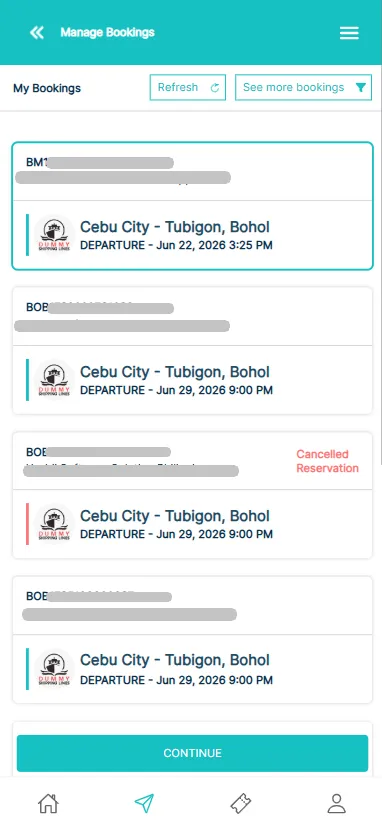
Go to Manage Booking
Find and select the specific booking transaction you want refunded, then tap Continue.
-
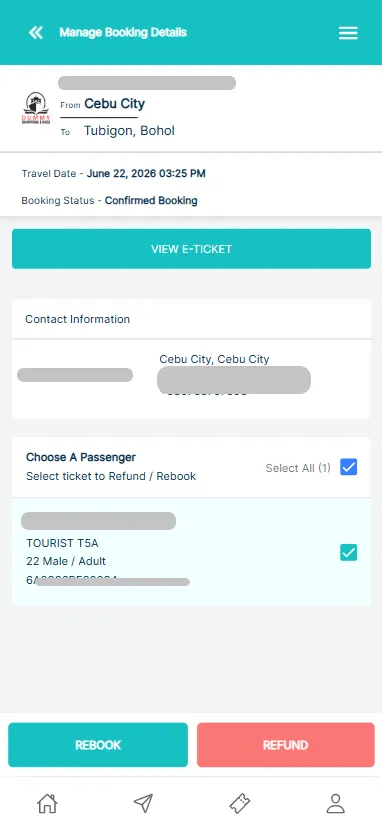
Choose Passenger(s)
Check the box next to each passenger name included in the refund request, then tap Refund.
-
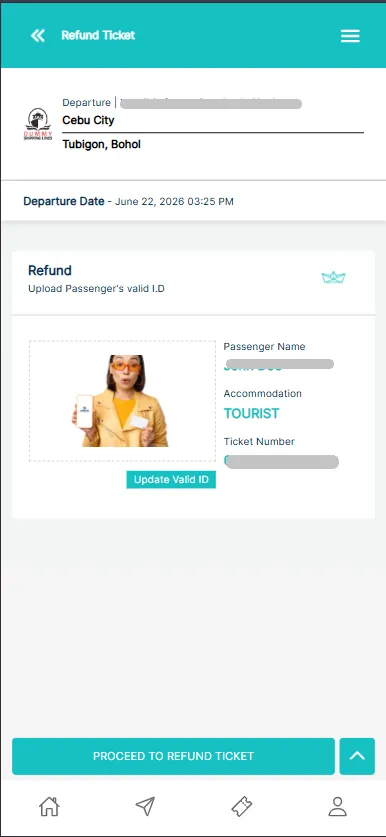
Upload ID
Upload a valid ID for each selected passenger. Once the images are uploaded, tap Proceed to Refund Ticket.
-
Confirm Details
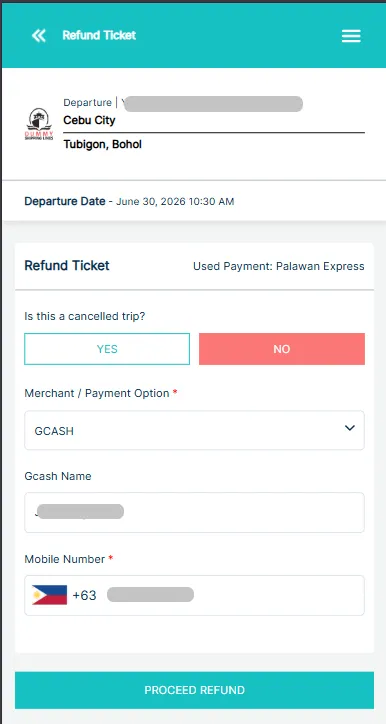
Carefully review your refund summary.
If you paid via Credit/Debit Card: The amount will automatically revert to your original payment method.
Otherwise, enter your preferred bank account or digital wallet details so we know where to send your deposit.
Once everything looks correct, tap Proceed Refund to submit your request.
Common Refund Issues
Ticket Bought on Another Platform
If your ticket was purchased from another platform (e.g., a ticket outlet, shipping line counter, or another booking site), contact that platform directly. See Refund & Rebooking Eligibility.
Ticket Shows as “Boarded” or “Checked-In”
If your ticket is mistakenly marked as boarded or checked in, contact Barkota Support. We’ll coordinate with the shipping line to correct the status so you can proceed with your refund.
Refund Surcharge
- If the shipping company cancels the trip (weather or vessel maintenance), refund surcharges are waived.
- If you request the refund for personal reasons, a surcharge may apply — this is set by the shipping company, not Barkota.
- Only the ticket fare is refunded. Service fees are non-refundable.
Check the “Refunds” section on the relevant Ferry Operator page for specific surcharge rates.
Refund Destination
For tickets paid by credit or debit card, the refund is returned to the original card. We cannot redirect these to a different card or bank account.
For tickets paid through other methods (GCash, etc.), the refund destination can be changed. Contact Barkota Support for assistance.